Microphone mute switch
Trinet Mono, Trinet Stereo and Trinet Stereo GS have a small mute switch on the bottom of the camera. It switches the microphones off in hardware — for kitchens, labs, factory floors or any space where sound must not be recorded — without relying on a software setting.
Which way is which
The direction depends on the model:
| Camera | Unmuted (microphones on) | Muted (microphones off) |
|---|---|---|
| Trinet Mono | Switch moved towards the memory card slot | Switch moved away from the memory card slot |
| Trinet Stereo | Switch moved towards the USB-C port | Switch moved away from the USB-C port |
| Trinet Stereo GS | Switch moved away from the USB-C port | Switch moved towards the USB-C port |
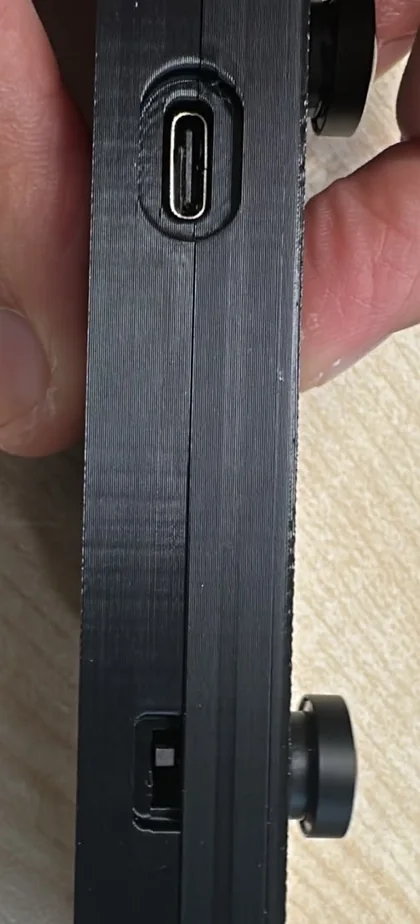
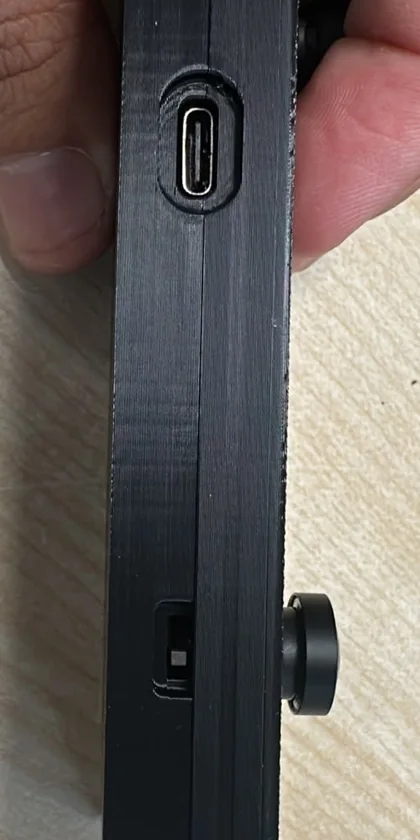
Stereo and Stereo GS are opposite
On Trinet Stereo GS the switch works the other way round from Trinet Stereo. If you use both in a Wrist Kit, check each camera — or watch the light, below.
Confirm with the light
When you move the switch, the status light confirms it for one second, then returns to its previous colour:
| Light | Meaning |
|---|---|
| Red for one second | Microphones muted |
| Green for one second | Microphones unmuted |
Good to know
- Check before you record. Set the switch before starting a take in places where sound must not be captured.
- Software mute. Separately, the Trinet app's camera settings include a mute option. When you need to be sure no sound is recorded, use the hardware switch.
- Earlier cameras. Trinet cameras from hardware versions V1–V3 have no microphones, so they have no mute switch. See Which camera do I have?